
Cat5, Cat5e, Cat6, Cat6A & Cat7: A Practical Guide to Business Network Cabling
Why Goff standardizes on Cat6, when Cat6A or Cat7 makes sense for multi-gig access points and switches, and what to know about legacy Cat5 and Cat5e.
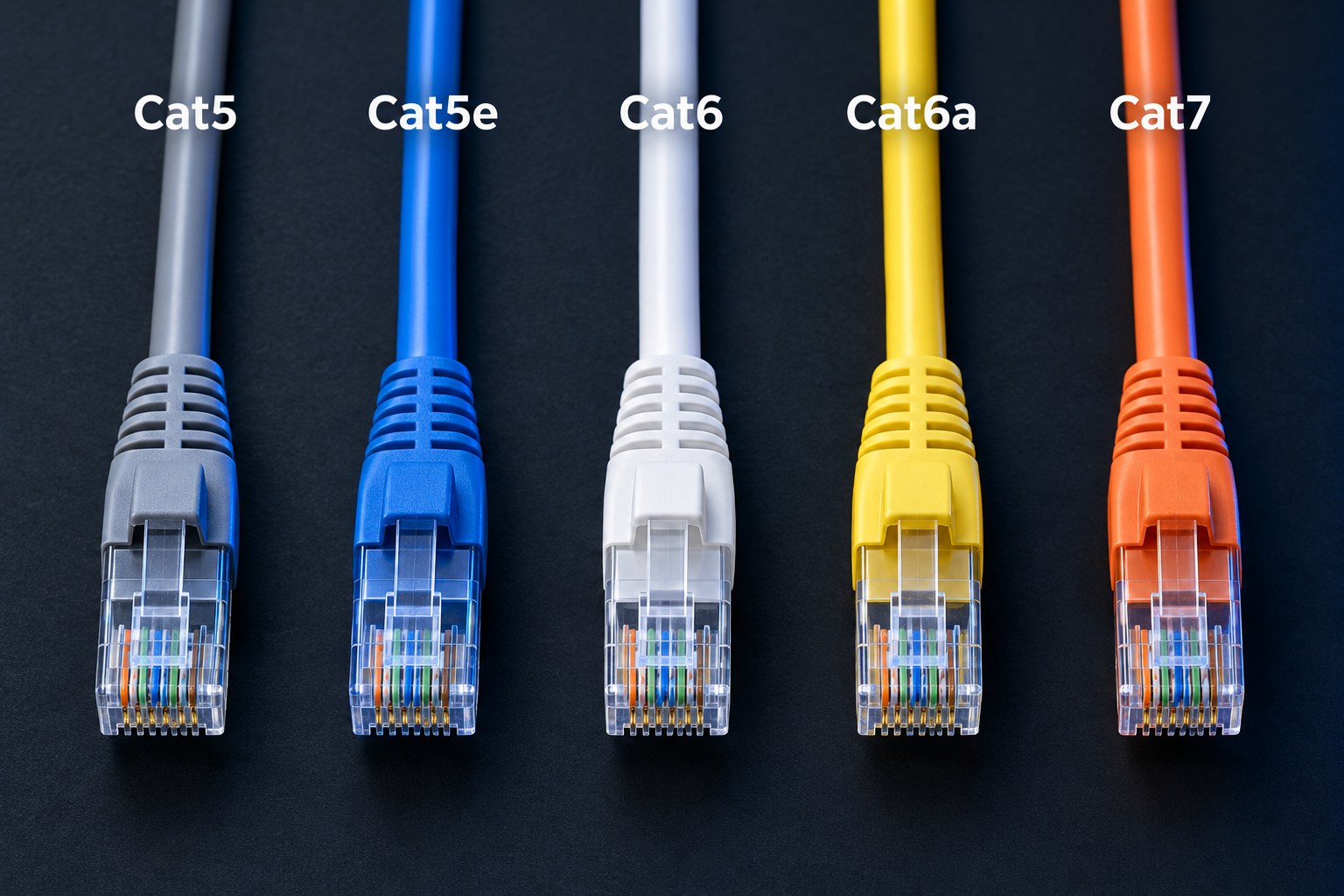
Cabling tends to outlive every switch, computer, camera, and wireless access point plugged into it. Once it is behind a finished wall or above an occupied office, replacing it can be disruptive. Many buildings across Oklahoma still depend on Cat5 or Cat5e installed for an earlier generation of equipment. At Goff Technologies, we start with the devices, their locations, and the routes between them—not the highest category number on a box. We generally specify Cat6 for new everyday business drops, then choose Cat6A or a properly designed shielded system where the requirements justify it. Existing cable deserves testing before anyone promises it will support an upgrade.
A quick history: Cat5 vs. Cat5e
Cat5 is a 100 MHz cable category associated with the 1990s and the move to 10/100 Mbps Fast Ethernet. Gigabit Ethernet was later possible over some well-installed Cat5 channels, but an unknown old run is not a dependable gigabit design target. When Cat5e replaced Cat5 in the TIA-568 specifications in 2001, Cat5 ceased to be the category to specify for new installations. The letter “e” means enhanced: Cat5e retains a 100 MHz rating but has tighter crosstalk requirements, including near-end crosstalk (NEXT), power-sum NEXT, and far-end crosstalk measures. A compliant Cat5e channel supports 1 Gbps to 100 meters. IEEE 802.3bz also provides for 2.5GBASE-T over qualifying Cat5e channels to 100 meters, though an existing installation still needs assessment.
That distinction matters because a surprising amount of live office wiring is still Cat5 or Cat5e. Start by reading the category printed along the cable jacket; a switch reporting a negotiated speed does not identify the cable or certify the whole link. Age, damaged jackets, excessive untwist at a jack, poorly matched connectors, and copper-clad aluminum (CCA) can all undermine performance. Older runs may also have been designed without today’s Power over Ethernet (PoE) loads or bundle temperatures in mind. Before relying on a legacy run for gigabit, multi-gig, or a new PoE device, inspect the pathway and connections and test or certify the link for the intended application. A failed or marginal run is a reason to repair or recable, not to assume a faster switch will fix it.
Why Cat6 is our everyday standard
For almost all new business drops, we use Cat6: workstations, VoIP phones, printers, IP cameras, access control panels and readers, and most standard wireless access points. Its 250 MHz category specification supports 1 Gbps over a compliant 100-meter channel. IEEE 802.3bz supports 2.5GBASE-T and 5GBASE-T on suitable Cat6 channels to 100 meters, giving many businesses useful room for newer equipment without specifying Cat6A at every desk.
Cat6 may also carry 10 Gbps on shorter channels, commonly around 37–55 meters depending on alien crosstalk and installation conditions. That is not a promise that every 55-meter run will work at 10 Gbps; adjacent cables, patch cords, terminations, and the complete channel matter. Compared with Cat6A, Cat6 is generally smaller, easier to pull and terminate, and more likely to fit an existing pathway. For a typical office with mostly 1 Gbps endpoints, that balance makes more sense than paying for the largest cable everywhere. We still check the switch ports and device requirements before settling on a category.
When we step up to Cat6A or Cat7: multi-gig devices
Some Wi-Fi 6E and Wi-Fi 7 access points have 2.5, 5, or 10 Gbps Ethernet uplinks. Multi-gig switch ports and switch-to-switch links can present similar demands. When a design calls for 10 Gbps across a longer run, Cat6A is our straightforward choice: it is specified to 500 MHz and supports 10GBASE-T across a compliant 100-meter channel, with better control of alien crosstalk. A 2.5 or 5 Gbps access point does not automatically require Cat6A—Cat6 may meet its specification—but Cat6A can provide useful headroom when the route is long or difficult to replace.
Power delivery is another design question, not just a speed question. IEEE 802.3bt PoE can deliver up to 90 W at the switch port; less reaches the device after cable losses. High-power access points and other equipment can raise temperatures in dense cable bundles. We check conductor size, bundle size, ambient conditions, pathway space, and the switch’s PoE budget rather than assuming a category label alone resolves heat. Cat6A’s construction may help, but the complete installation determines the result.
Cat7 is a 600 MHz ISO/IEC Class F specification using individually shielded pairs and an overall shield (S/FTP). Shielding can be useful around electrical noise when the whole system is designed for it. Cat7 is not a TIA-recognized category, however, and its native connector systems are GG45 or TERA. Terminating a Cat7 cable with ordinary RJ45 jacks does not create a Class F channel; practical performance is generally Cat6A-class. For most RJ45-based business networks, shielded Cat6A offers the same practical benefit without claiming a Cat7 channel. Shielded systems also need appropriate bonding and grounding. Cat8 serves a different niche: short data-center links up to about 30 meters for 25/40 Gbps, not general office drops.
| Category | Bandwidth | Typical max speed (100 m) | 10 Gbps support | Common use today |
|---|---|---|---|---|
| Cat5 | 100 MHz | 100 Mbps | No | Legacy—replace or test |
| Cat5e | 100 MHz | 1 Gbps (2.5G on qualifying runs) | No | Existing legacy runs |
| Cat6 | 250 MHz | 1 Gbps (2.5/5G per 802.3bz) | Up to ~55 m, conditions permitting | Goff’s standard for most drops |
| Cat6A | 500 MHz | 10 Gbps | Full 100 m | Multi-gig APs and switch uplinks |
| Cat7 | 600 MHz | 10 Gbps | Full 100 m with Class F components | Shielded/noisy environments; ISO only |
Installation quality still decides performance
A good category specification cannot rescue a poor installation. For permanent horizontal cabling, we specify standards-compliant solid copper, not copper-clad aluminum. CCA’s higher resistance is particularly concerning for PoE, and a jacket claiming a category does not make CCA an equivalent substitute. Connectors, patch panels, and patch cords must be suitable for the intended channel. Cable crushed by tight fasteners, bent too sharply, or untwisted too far at termination can lose the electrical performance it was purchased for.
Pathways and fire ratings matter too. Plenum-rated cable is commonly required in environmental air-handling spaces, while riser-rated cable is used in qualifying vertical pathways; the correct jacket depends on the building and locally adopted code. We verify requirements with the authority having jurisdiction rather than treating a jacket rating as a speed upgrade. Bundle size and heat deserve attention when many cables carry PoE. Where shielding is specified, its connectors and bonding plan belong in the design from the outset.
Finally, ask for labeled certification reports using the correct test limit for each installed category. A continuity or wiremap test tells you whether conductors connect in the right order; it does not establish category performance. Certification measurements, labels matching the patch panel, and a record of what was installed make later troubleshooting and equipment changes far easier. For existing Cat5 or Cat5e, the results help decide whether a particular run can stay, needs repair, or should be replaced.
Planning a cabling upgrade
The useful first step is a site survey: identify existing cable and pathways, map run lengths, list the actual port speeds and PoE requirements, and decide which links may need 10 Gbps during the life of the installation. A mixed specification can put Cat6 at ordinary outlets and Cat6A where it earns its cost, while sound existing runs remain in service after testing. It can also reveal a crowded conduit or switch power limitation before installation begins. Goff Technologies serves businesses throughout Oklahoma with structured cabling plans built around the building and its equipment—not a blanket category upgrade for its own sake.
Explore further
Services in this article
Questions about this topic
Keep reading
More insights

Verkada Transportation: Cloud-Managed Video and Telematics for Buses and Fleets
Explore Verkada Transportation’s vehicle cameras and gateway, and how school buses, transit agencies, and fleets can use video, GPS, and telematics.

Security Camera Types Explained: Multi-Sensor, 180°, Fisheye, PTZ, and More
See how commercial camera styles cover different spaces, where each has limits, and how to choose the right mix of overview and identification views for your business.
70V Speakers and Multi-Zone Amplifiers: Matching Music and Volume to Every Space
Learn how 70V distributed speakers and zone-capable amplifiers help each area of a business play the right music at the right level.
Let's discuss your project.
Reach out today for a consultation and secure your business future.